
ytskim
ytskim uses AI to transcribe and summarize YouTube videos, saving you time by extracting key insights from any video content.
Visit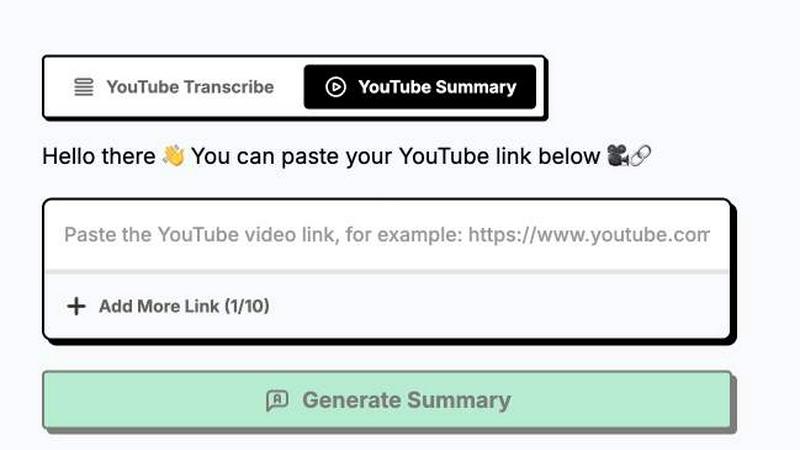
About ytskim
ytskim is a powerful AI-driven tool designed to extract accurate transcripts and generate structured summaries from any YouTube video in seconds. It addresses the growing need for quick content digestion, research efficiency, and accessibility in an era where video content dominates the digital landscape. Whether you are a student, researcher, content creator, journalist, or professional seeking to distill lengthy video presentations, interviews, lectures, or tutorials into concise, readable text, ytskim streamlines the entire process. The core value proposition lies in its ability to save users significant time by eliminating the need to manually watch and transcribe videos. Instead, users simply input a YouTube URL, and the tool leverages advanced speech recognition and natural language processing to produce a high-fidelity transcript alongside a structured summary that captures key points, arguments, and conclusions. This dual output ensures that users not only get a verbatim record of the spoken content but also a digestible overview that facilitates faster comprehension and decision-making. ytskim is built for productivity, enabling seamless integration into workflows for content repurposing, study sessions, meeting recaps, and competitive analysis. By automating the tedious tasks of transcription and summarization, ytskim empowers users to focus on higher-value activities, making it an indispensable tool for anyone who regularly consumes or works with YouTube video content.
Features of ytskim
High-Accuracy Speech Recognition
ytskim employs cutting-edge speech recognition models that are trained on diverse accents, languages, and audio qualities commonly found on YouTube. This ensures that the generated transcripts are highly accurate, capturing nuances, technical jargon, and speaker identification with minimal errors. The system is robust enough to handle background noise, overlapping speech, and varying recording conditions, delivering reliable text output that can be used for critical analysis, documentation, or accessibility compliance. This feature is foundational to the tool's utility, as the quality of the summary directly depends on the fidelity of the underlying transcript.
Intelligent Structured Summarization
Beyond simple transcription, ytskim utilizes advanced natural language processing algorithms to analyze the transcript and automatically generate a structured summary. This summary is not just a random extraction of sentences; it is organized into coherent sections that highlight the main topics, supporting details, conclusions, and action items. The AI identifies the logical flow of the video, breaking down complex arguments into digestible bullet points or paragraph summaries. This feature enables users to grasp the essence of a long video in under a minute, making it ideal for reviewing lectures, webinars, or lengthy opinion pieces without sacrificing comprehension.
Rapid Processing Speed
Time efficiency is at the core of ytskim's design. The tool is optimized to process videos of varying lengths in a matter of seconds, not minutes or hours. Upon submitting a YouTube URL, the system quickly fetches the audio, transcribes it, and generates the summary simultaneously. This near-instantaneous turnaround is critical for users who need to process multiple videos in a single session, such as researchers conducting literature reviews or marketers analyzing competitor content. The speed is achieved through a combination of efficient server-side processing and optimized AI model inference.
User-Friendly Interface and Export Options
ytskim is designed with a clean, intuitive interface that requires no technical expertise to operate. Users simply paste a YouTube link, and the tool handles the rest. The resulting transcript and summary are presented in a clear, readable format within the browser. Furthermore, ytskim offers flexible export options, allowing users to download the content as plain text, Markdown, or other common formats. This facilitates easy integration into note-taking apps, document editors, content management systems, or for sharing with collaborators, ensuring the extracted information can be used wherever it is needed.
Use Cases of ytskim
Academic Research and Study
Students and researchers can use ytskim to quickly process recorded lectures, academic talks, and conference presentations. Instead of rewatching hours of video, they can obtain a full transcript for annotation and a structured summary that outlines key theories, methodologies, and findings. This accelerates literature review, facilitates note-taking, and helps in preparing for exams or writing papers by providing a searchable text record of video-based academic content.
Content Creation and Repurposing
Content creators, bloggers, and social media managers can leverage ytskim to repurpose long-form YouTube videos into blog posts, articles, social media snippets, or show notes. The structured summary provides a ready-made outline, while the transcript offers source material for quotations and detailed explanations. This workflow significantly reduces the time spent on content production, allowing creators to maintain a consistent publishing schedule across multiple platforms.
Professional Meeting and Webinar Recap
Professionals who attend numerous webinars, team meetings, or client presentations recorded on YouTube can use ytskim to generate instant recaps. The tool extracts key decisions, action items, and discussed topics, allowing users to stay informed without watching the entire video. This is particularly valuable for project managers, executives, and team members who need to quickly catch up on missed meetings or extract specific information from a recorded session.
Accessibility and Language Learning
ytskim serves as a powerful accessibility tool for individuals who are deaf or hard of hearing, providing accurate text transcripts of any YouTube video. Additionally, language learners can benefit by reading the transcript alongside the video to improve comprehension, learn new vocabulary, and understand sentence structure. The structured summary can also help learners identify the main ideas of a video before diving into the full details, making the learning process more efficient.
Frequently Asked Questions
How does ytskim handle different languages and accents?
ytskim's speech recognition engine is multilingual and trained on a vast dataset that includes various regional accents and dialects. It supports a wide range of major languages, including English, Spanish, French, German, Chinese, and more. The system is continuously updated to improve accuracy for less common accents and languages. However, the quality of the transcript can be affected by the audio clarity of the source video, such as heavy background noise or extremely rapid speech.
Is there a limit on the length of YouTube video I can process?
ytskim is designed to handle videos of varying lengths, from short clips to full-length lectures and presentations lasting several hours. While there is no strict hard limit on video duration for most users, extremely long videos may take slightly longer to process. The tool is optimized for efficiency, and the processing time generally scales linearly with the video's duration. For the best performance, users with very long videos should ensure a stable internet connection.
Can I download the transcript and summary for offline use?
Yes, ytskim provides flexible export options. After processing a video, users can download the full transcript and the structured summary in multiple formats, including plain text (.txt) and Markdown (.md). This allows for easy offline access, editing in word processors, integration into note-taking applications like Notion or Obsidian, or sharing with colleagues who do not have access to the tool.
How does ytskim ensure the privacy of my processed videos?
Privacy is a key consideration. ytskim does not permanently store the audio or video files from the YouTube links you submit. The transcripts and summaries are generated in real-time, and while they may be temporarily cached to allow for download, they are not retained on the server indefinitely. The tool does not share your processed content with third parties. For specific details on data retention policies, users are encouraged to review the official privacy policy available on the ytskim website.
Explore more in this category:
Similar to ytskim
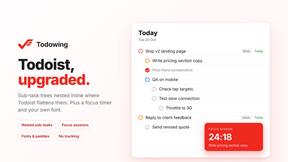
Todowing
Chrome extension for Todoist that nests sub-tasks inline in Today, Upcoming, Filter, and Label views. Free tier, $19.99 one-time unlock.
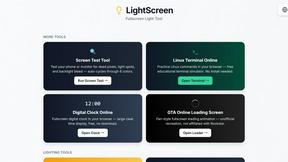
LightScreen
Free light screen tool online. Turn any display into a flashlight, ambient light, or solid-color screen. No download or sign-up.
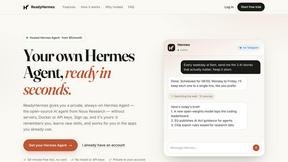
ReadyHermes
Your own hosted Hermes Agent, ready in seconds

FreeVideoGenerator
Free AI video generator: turn text prompts and photos into video clips with Sora 2, Veo 3.1, Wan and more. Free starter credits, no watermark download
Novastart
Apps and files on an infinite canvas where people and AI agents work together.
ButterShare
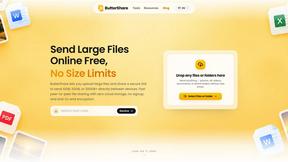
Transfer files between iPhone, Android, Windows, and Mac directly from your browser. Free, secure, and private. No apps, cloud storage, or signup.
AI Email Filter
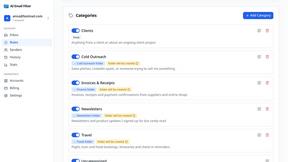
AI Email Filter sorts incoming mail into folders using plain-language prompts you write. Works with any IMAP mailbox; bring your own LLM if you want.