
Best Freemium products (169+)
Discover 169+ best freemium products. Compare features, pricing, and reviews. Free and paid options available.
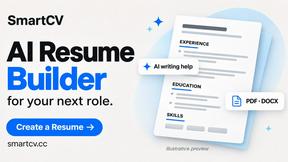
SmartCV
SmartCV supports resume editing, AI writing suggestions, job-description analysis, and application records for job seekers.

Text Photo AI
Edit text on a photo or screenshot with AI, and add new captions free in a browser-based editor.

MakePiecesOfUs
MakePiecesOfUs turns pet photos into private virtual rooms with free albums and puzzles, plus optional daily stories, themed scenes and postcards.
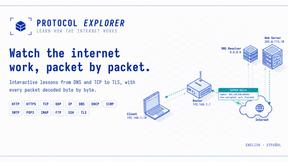
Protocol Explorer
Protocol Explorer animates network exchanges and decodes packet headers for students, developers and interview preparation.

GetYouTubeTranscript
Get captions from YouTube videos in seconds, then copy, download, translate or use them with AI for study and content work.

ACA
ACA combines buyer sourcing, email and LinkedIn outreach, lead capture and content publishing in one agent-accessible acquisition workspace.

Infograph
Infograph reshapes reports, research and meeting notes into source-checked visual stories for sharing, study and presentations.
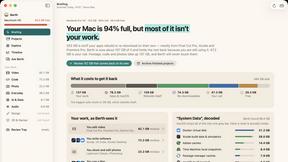
Berth for Mac
Berth maps Mac storage by meaning or folder, with plain-language findings and a review tray for people who want control over cleanup.
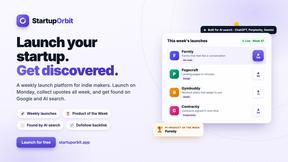
StartupOrbit
StartupOrbit runs weekly product launches for indie makers, with upvotes deciding a winner and permanent listing pages.
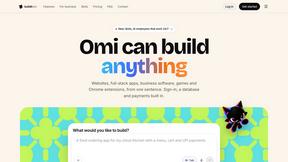
BuildItOmi
BuildItOmi brings together four AI tools for building apps, coding in a terminal, team work, and launching AI SaaS products.
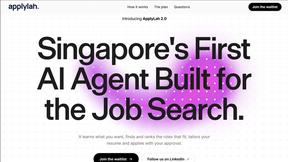
ApplyLah
ApplyLah is a Singapore-focused AI job search agent in development, designed to rank roles and suggest resume edits for candidate review.

InterviewAce
InterviewAce gives job candidates contextual talking points during interviews and lets them rehearse with role-specific questions and feedback.

Launchyourgem
Launchyourgem helps makers put new products and AI tools in a directory with launch pages, upvotes, comments, and ranked discovery.

Tiny Desk AI
A browser-based maker for 15-second Tiny Desk meme videos, using portraits, vertical MP4 output and rhythm-matched AI sound.

Tip Toeing in My Jordans AI
Make a 12-second Rumpelstiltskin tiptoe video from one or two photos, choosing vertical or widescreen framing and 720p or 1080p output.

ImageAgent
ImageAgent combines text-to-image creation and reference-based editing with chat revisions for creators developing visual ideas.
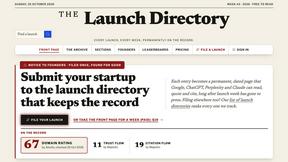
The Launch Directory
The Launch Directory preserves startup launches in dated pages, with weekly community rankings and a separate launch-platform table.

ImageGenerator
Explore AI image creation and editing with text prompts, reference photos, model options and a private history built for iterative creative work.

Dola AI
Dola AI is a credit-based creative studio for generating and editing visual content across image, video, and 3D tools.
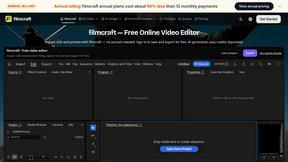
filmcraft
filmcraft pairs a browser video editor with separate credit-based AI tools for generating and refining video and images.

ArtCraft
ArtCraft is a web-based studio for image, video and 3D creation, editing and reference organization.
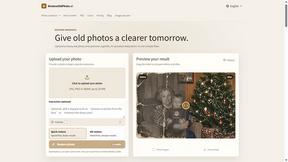
RestoreOldPhoto.ai
An online AI photo restorer for repairing old prints, improving faded detail, and optionally colorizing black-and-white photos.

CloneWebsite
CloneWebsite captures page styles and assets in Chrome, then exports an offline project as a ZIP or Figma layers.
GenX.art
GenX.art offers image, video, and audio generation in one workspace, with multiple model choices and credit estimates shown before a run.

Uniclip
Uniclip is a browser extension for saving web text, screenshots, and selected elements into Notion, Feishu, Obsidian, or local files.

AI Age Filter
AI Age Filter adds 10 to 40 years to an adult portrait, with side-by-side comparison and a downloadable, AI-labelled image.
AppIconGenerator
Generate and inspect platform-specific app icon assets from an image, including Android adaptive options and an iOS asset catalog export.
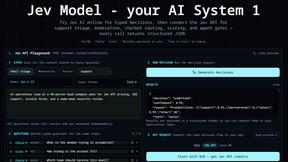
JevModel
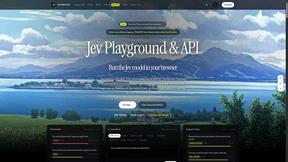
JevModel turns text or JSON into typed Choice, Score, and Noul decisions, with a visual flow builder, batch tools, and an API.

PracticeNetworking
Troubleshoot networks through 53 browser-based labs with real commands, packet tracing and a progression from fundamentals to router builds.
Todowing
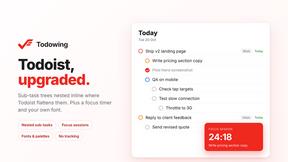
For Todoist users in Chrome, Todowing adds task timing, focus sessions, deeper subtasks and optional Apple Calendar events to the Today view.
SQLCrab
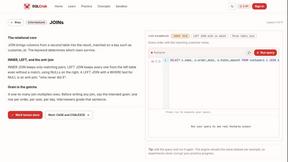
SQLCrab is a browser-based SQL interview practice tool with a real PostgreSQL engine, graded labs, a sandbox, and no server setup.
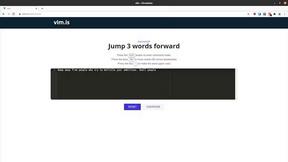

FreeVideoGenerator
Create short AI videos from text or photos, compare generation models and costs, and download finished clips through one web interface.

Novastart
Novastart keeps apps arranged on persistent canvases and supports visible AI agents and interactive team collaboration.
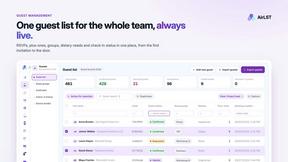
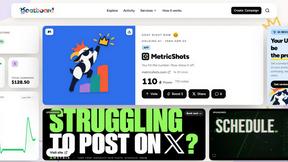
Goatboard
Goatboard is a public billboard where visitors vote or boost products, startups, ideas, and memes for the top ranking.
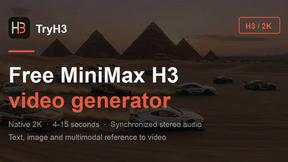

FreeCreate
FreeCreate creates AI videos from text and images, with motion-control tools, visual presets, and free daily credits.
Popular Alternatives in Freemium
About Freemium products
Freemium tools provide valuable free tiers alongside optional paid upgrades for advanced features, higher limits, and premium support. This pricing model lets you start using a product immediately without cost, evaluate whether it meets your needs, and upgrade only when you require additional capabilities that justify the investment.
Freemium tools are ideal for growing teams and businesses that want to validate a tool's value before committing budget. The free tier typically includes enough functionality for individual users or small projects, while paid plans unlock team collaboration, advanced features, and enterprise-grade capabilities.
Browse freemium tools to find software that lets you start for free and scale your investment as your requirements and team grow, creating a natural path from evaluation to full adoption.
FAQs for Freemium
What is the freemium pricing model?
Freemium tools provide a free tier with core features and paid plans that unlock advanced capabilities, higher usage limits, priority support, team features, and additional integrations. You can use the free version indefinitely and upgrade when needed.
What features are typically free vs paid?
Free tiers usually include core functionality for individual use. Paid plans typically add team collaboration, advanced analytics, API access, higher storage or usage limits, custom branding, priority support, and enterprise security features.
Is the free tier limited on purpose?
Free tiers are designed to provide genuine value while encouraging upgrades as needs grow. Limitations are usually on usage volume, team size, or advanced features rather than on core product quality or reliability.
How do I know when to upgrade from free?
Consider upgrading when you hit usage limits regularly, need team collaboration features, require advanced functionality, want priority support, or when the tool has become critical enough to your workflow to justify the investment.
Can I downgrade back to free after upgrading?
Most freemium tools allow downgrading to the free tier, though you may lose access to premium features and data that exceeds free tier limits. Check each tool's downgrade policy before upgrading.
Are freemium tools trustworthy for business use?
Yes. Many successful business tools use the freemium model. Companies invest in making the free tier valuable because satisfied free users become paying customers. Evaluate each tool's stability, security, and reputation independently.