
Best Social Media products (9+)
Discover 9+ best social media products. Compare features, pricing, and reviews. Free and paid options available.

Tiny Desk AI
A browser-based maker for 15-second Tiny Desk meme videos, using portraits, vertical MP4 output and rhythm-matched AI sound.

Tip Toeing in My Jordans AI
Make a 12-second Rumpelstiltskin tiptoe video from one or two photos, choosing vertical or widescreen framing and 720p or 1080p output.

SubRedds
SubRedds makes Reddit pictures and videos easier to browse in a scrolling gallery for communities and accounts.
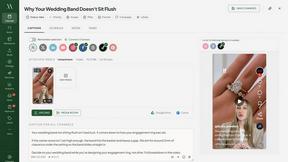
Maeve Social
Maeve Social combines social scheduling, advertising, approvals and reporting for teams that want organic and paid work in one workspace.
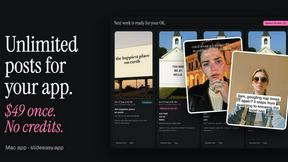
Slide-Easy
Slide-Easy is a Mac app for indie makers that creates AI-labeled Instagram Reels, carousels and stories from app pages and reviews.

iHatePosting
iHatePosting combines social scheduling, cross-posting and AI agent tools for creators and teams publishing across 15 networks.
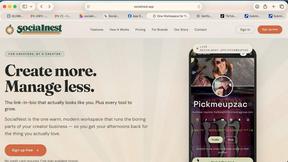
SocialNest
SocialNest is a creator business workspace for organizing links, storefronts, media kits, brand deals, invoices, and social publishing.

Postqued
Postqued schedules and publishes social content across 10 networks, with MCP and API access for AI agents and a shared calendar for teams.
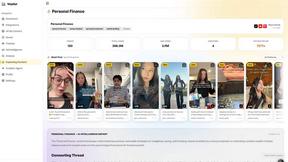
Vaydur
Vaydur combines niche-based social video ideas, one-click editing, retention analysis, and view tracking for creators and real estate agents.
Popular Alternatives in Social Media
About Social Media products
Social Media tools help marketers, creators, and businesses manage their presence across social platforms through scheduling, analytics, content creation, community management, and advertising optimization. This category includes social media management suites, content schedulers, analytics dashboards, social listening tools, and influencer marketing platforms.
Whether you are scheduling posts across multiple platforms, analyzing engagement metrics, managing community interactions, running social ad campaigns, or tracking brand mentions, these tools provide the capabilities needed to build and maintain an effective social media presence.
Compare social media tools by their platform coverage, scheduling features, analytics depth, collaboration options, and pricing to find the right social media management solution for your needs.
FAQs for Social Media
What types of social media tools are listed?
This category includes social media schedulers, analytics and reporting tools, content creation platforms, community management software, social listening tools, influencer marketing platforms, ad management tools, and comprehensive social media management suites.
Which social platforms do these tools support?
Most tools support major platforms including Instagram, Facebook, Twitter/X, LinkedIn, TikTok, Pinterest, and YouTube. Some also support emerging platforms. Check individual listings for specific platform integrations.
Can I manage multiple social accounts from one tool?
Yes. Most social media management tools are designed to manage multiple accounts and platforms from a single dashboard with centralized scheduling, inbox management, and cross-platform analytics.
How do social media analytics tools help?
Analytics tools track engagement rates, follower growth, content performance, best posting times, audience demographics, and competitor benchmarks to help you optimize your social media strategy based on data rather than guesswork.
Are there free social media management tools?
Yes. Many tools offer free tiers for individuals or small accounts with basic scheduling and analytics. Premium plans unlock more connected accounts, advanced analytics, team collaboration, and higher posting limits.
How do I choose the right social media tool?
Consider the platforms you use, number of accounts, team size, content types, analytics needs, and budget. Test free tiers to evaluate the scheduling workflow, analytics quality, and interface before committing to a paid plan.