

Alternatives to QuickTextTools
QuickTextTools provides 76+ free online utilities for writers and creators to effortlessly enhance text and boost productivity directly in your.
20 alternatives found
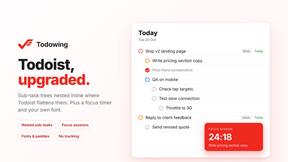
Todowing
Chrome extension for Todoist that nests sub-tasks inline in Today, Upcoming, Filter, and Label views. Free tier, $19.99 one-time unlock.

LightScreen
Free light screen tool online. Turn any display into a flashlight, ambient light, or solid-color screen. No download or sign-up.


FreeVideoGenerator
Free AI video generator: turn text prompts and photos into video clips with Sora 2, Veo 3.1, Wan and more. Free starter credits, no watermark download

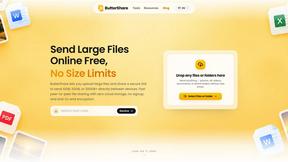
ButterShare
Transfer files between iPhone, Android, Windows, and Mac directly from your browser. Free, secure, and private. No apps, cloud storage, or signup.
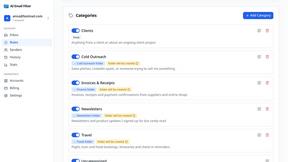
AI Email Filter
AI Email Filter sorts incoming mail into folders using plain-language prompts you write. Works with any IMAP mailbox; bring your own LLM if you want.


Product Launch Checklist
A free launch checklist for SaaS, apps, AI tools and more. Every step says why it matters and when you can skip it.

Kody Tools
Free collection of online developer utilities, code formatters, and digital converters designed to streamline your daily workflow.
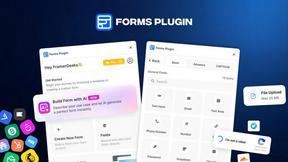
Forms Plugin
The #1 Native Form Builder Plugin for Framer - No Code, No Embeds, No External Platforms.


tallycounterweb.com
Tally Counter is a simple online counting tool for tracking attendance, workouts, inventory, sports scores, visitors, and everyday activities.

iHatePosting
Create once, tailor for each platform, and schedule posts across 14 social networks from one simple dashboard.
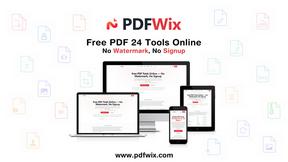
PDFWix
PDFWix is a free online PDF toolkit designed to make everyday PDF tasks simple, fast, and private.
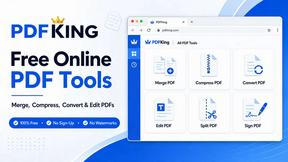
PDFKing
PDFKing is a free online PDF toolkit designed to make everyday document tasks simple, fast, and accessible. It brings essential PDF tools together in



About QuickTextTools Alternatives
QuickTextTools is a versatile online platform that falls under the category of productivity and management tools tailored for writers and creators. With over 76 free utilities at their disposal, users can significantly enhance their efficiency through streamlined text manipulation, SEO analysis, and other essential writing aids. The user-friendly interface and browser-based functionality allow for quick access without the need for software installation, making it a popular choice among various professionals, including marketers, developers, and students. However, users often seek alternatives to QuickTextTools for several reasons, including pricing, specific feature sets, or compatibility with different platforms. When selecting an alternative, it is crucial to consider factors such as the range of tools offered, ease of use, and privacy policies. Additionally, assessing whether the alternative meets specific workflow needs and provides quality support can greatly influence user satisfaction and productivity.
FAQs about QuickTextTools Alternatives
What is QuickTextTools?
QuickTextTools is a free, online platform that provides over 76 utilities to enhance productivity for writers, marketers, developers, students, and content creators. It offers a variety of tools for tasks such as text formatting, SEO analysis, and writing assistance, all designed to simplify workflows and save time. The platform operates directly in the browser, ensuring quick access without the need for downloads.
Who is QuickTextTools for?
QuickTextTools is designed for a diverse audience, including writers, marketers, developers, students, and SEO professionals. It caters to anyone looking to improve their productivity and streamline their text-related tasks. The comprehensive toolkit is particularly beneficial for those who require efficient text management and optimization tools.
Is QuickTextTools free?
Yes, QuickTextTools is completely free to use. Users can access all its functionalities without any cost, making it an attractive option for individuals and professionals seeking effective productivity tools. This no-cost approach allows users to utilize a wide range of utilities without the burden of subscription fees.
What are the main features of QuickTextTools?
The main features of QuickTextTools include text formatting tools, SEO analysis utilities, writing assistants, and keyword management tools. These tools help users clean up text, analyze metadata, convert text case, and enhance their overall writing process. The platform is designed to be user-friendly and provides fast, practical solutions for various text-related tasks.