

Alternatives to Caption.IM
Caption.im transforms audio into real-time captions, translations, and summaries on your Mac, ensuring privacy and seamless integration across.
20 alternatives found
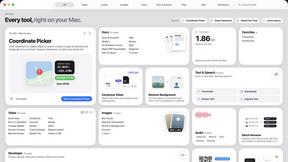
Toolbox
96 private Mac tools in one app: compress video, sign PDFs, remove backgrounds, transcribe. Offline, no account, pay once.


Safe Outreach
AI-powered platform that evaluates the safety of LinkedIn automation tools and helps reduce the risk of account restrictions.


Emailyy
Free email tools for signatures, subject lines, HTML previews, word counts, and email headers. Browser-based, simple to use, and no signup required.

TroveKey
Search tabs, Chrome bookmarks and history, run browser commands, and save webpages and social posts locally—no account.

Uniclip
Clip pages, take full-page screenshots and batch-capture list data to Notion, Feishu, Obsidian, Markdown, CSV or JSON.

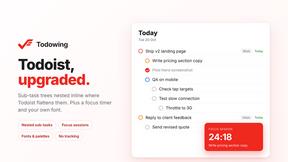
Todowing
Chrome extension for Todoist that nests sub-tasks inline in Today, Upcoming, Filter, and Label views. Free tier, $19.99 one-time unlock.

LightScreen
Free light screen tool online. Turn any display into a flashlight, ambient light, or solid-color screen. No download or sign-up.


FreeVideoGenerator
Free AI video generator: turn text prompts and photos into video clips with Sora 2, Veo 3.1, Wan and more. Free starter credits, no watermark download



ButterShare
Transfer files between iPhone, Android, Windows, and Mac directly from your browser. Free, secure, and private. No apps, cloud storage, or signup.
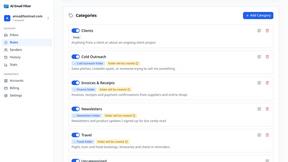
AI Email Filter
AI Email Filter sorts incoming mail into folders using plain-language prompts you write. Works with any IMAP mailbox; bring your own LLM if you want.


Product Launch Checklist
A free launch checklist for SaaS, apps, AI tools and more. Every step says why it matters and when you can skip it.
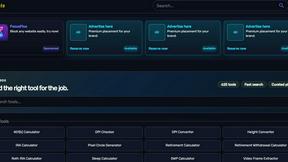
Kody Tools
Free collection of online developer utilities, code formatters, and digital converters designed to streamline your daily workflow.
Forms Plugin
The #1 Native Form Builder Plugin for Framer - No Code, No Embeds, No External Platforms.
About Caption.IM Alternatives
Caption.IM is an innovative AI-driven tool specifically designed for macOS users, falling under the category of productivity and management solutions. It excels in transforming audio content into real-time captions, translations, and structured summaries, making it a powerful asset for professionals who rely on clear communication and efficient note-taking during meetings, webinars, and online courses. Its local processing capabilities ensure that users can maintain privacy while benefiting from advanced features that enhance accessibility and information sharing. As users seek alternatives to Caption.IM, they often look for various factors that may better suit their specific needs. Common reasons for exploring other options include differences in pricing, desired features, compatibility with different operating systems, and user interface preferences. When choosing an alternative, it’s essential to consider factors like ease of use, the extent of functionality offered, data privacy policies, and customer support. These aspects can significantly impact the overall user experience and effectiveness of the captioning solution.
FAQs about Caption.IM Alternatives
What is Caption.IM?
Caption.IM is a privacy-first AI captioning assistant designed for macOS that converts audio into real-time captions, translations, and structured notes. It operates locally on your device, ensuring that all processing is done without relying on external servers. This allows users to maintain control over their data while enjoying a seamless captioning experience.
Who is Caption.IM for?
Caption.IM is ideal for professionals, educators, and anyone who needs to enhance communication during meetings, webinars, online courses, or any audio-based content. Its real-time captioning and translation features make it particularly valuable for individuals in diverse and multilingual environments, as well as for those who require accurate transcription for accessibility purposes.
Is Caption.IM free?
Caption.IM is not a free service; it offers various pricing plans tailored to different user needs and preferences. Users can explore the available options to find a plan that best fits their budget and usage requirements. The investment in Caption.IM is often justified by its robust features and privacy-focused design.
What are the main features of Caption.IM?
Caption.IM provides a range of features including real-time audio captioning, instant translations, recordings, and the ability to create structured meeting notes. It captures system audio directly from your Mac, making it compatible with multiple applications such as Zoom, Google Meet, and more. This comprehensive functionality supports improved productivity, accessibility, and information management.