
Caption.IM
Caption.im transforms audio into real-time captions, translations, and summaries on your Mac, ensuring privacy and seamless integration across.
Visit
About Caption.IM
Caption.im is a cutting-edge AI captioning assistant specifically designed for macOS, catering to users who require real-time transcription and translation of audio content. This innovative tool enhances productivity by converting audio from any application on your Mac into real-time captions, structured meeting notes, and instant translations. Unlike traditional browser extensions or meeting bots, Caption.im captures system audio directly, ensuring compatibility with various platforms, including Zoom, Google Meet, Microsoft Teams, YouTube, and more. This local processing approach not only maintains user privacy but also provides a seamless experience without the need for complex setups or additional software. Ideal for remote workers, students, content creators, and multilingual teams, Caption.im transforms conversations into searchable and translatable knowledge, making it an invaluable asset for improving accessibility and communication efficiency.
Features of Caption.IM
Real-Time Transcription
Caption.im excels in providing real-time transcription capabilities, allowing users to generate live captions for meetings, webinars, podcasts, and videos. This feature ensures that participants can follow discussions effortlessly, enhancing comprehension and collaboration.
Instant Translation
With its instant translation feature, Caption.im enables users to understand content in multiple languages through real-time translated subtitles. This functionality is particularly beneficial for multilingual teams and international meetings, ensuring effective communication across language barriers.
Floating Subtitle Window
The elegant floating subtitle window offers a transparent overlay that integrates seamlessly with macOS. This design allows users to view captions without obstructing their view of other applications, maintaining an efficient workflow during presentations or discussions.
AI Meeting Summaries
Caption.im automatically generates structured summaries and key insights after conversations, saving users time and effort in note-taking. This feature ensures that important points are captured and can be easily referenced later, facilitating better organization and follow-up.
Use Cases of Caption.IM
Remote Meetings
For remote meetings, Caption.im is an essential tool that provides live captions, ensuring all participants can follow along regardless of their hearing abilities. This feature fosters inclusivity and improves engagement during virtual gatherings.
Online Learning
Students and educators can leverage Caption.im during online classes to obtain real-time captions and translations. This enhances learning by making lectures more accessible and allowing students to focus on understanding the material.
Multilingual Teams
In diverse workplaces, Caption.im aids multilingual teams by providing instant translations of discussions and meetings. This allows team members to communicate effectively without language barriers, promoting collaboration and innovation.
Content Creation
Content creators can use Caption.im to generate captions for their videos and podcasts effortlessly. This not only enhances accessibility for viewers but also boosts SEO, making content discoverable to a broader audience.
Frequently Asked Questions
How does Caption.im ensure privacy?
Caption.im prioritizes user privacy by processing all speech recognition and captioning locally on your device. This means your conversations never leave your Mac, ensuring confidentiality and security.
Is Caption.im compatible with all applications?
Yes, Caption.im is designed to work with virtually any application that outputs audio, including video conferencing tools like Zoom and Microsoft Teams, as well as media players and online course platforms.
Can I customize the appearance of the captions?
Currently, Caption.im offers a floating subtitle window with an elegant design that integrates with macOS. Customization options may be limited, but the transparent overlay is designed to minimize distraction while still being clear and readable.
What are the system requirements for Caption.im?
Caption.im requires macOS 15.6 or later to function effectively. It is optimized for Apple Silicon (M1, M2, M3, and later) to ensure fast and efficient performance with minimal latency during audio processing.
Explore more in this category:
Similar to Caption.IM
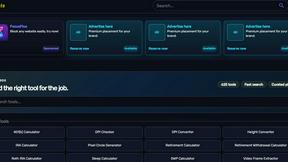
Kody Tools
Free collection of online developer utilities, code formatters, and digital converters designed to streamline your daily workflow.
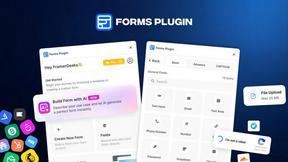
Forms Plugin
The #1 Native Form Builder Plugin for Framer - No Code, No Embeds, No External Platforms.

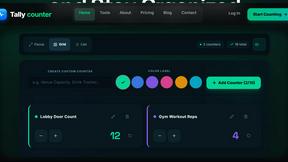
tallycounterweb.com
Tally Counter is a simple online counting tool for tracking attendance, workouts, inventory, sports scores, visitors, and everyday activities.

iHatePosting
Create once, tailor for each platform, and schedule posts across 14 social networks from one simple dashboard.

PDFWix
PDFWix is a free online PDF toolkit designed to make everyday PDF tasks simple, fast, and private.
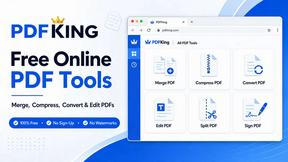
PDFKing
PDFKing is a free online PDF toolkit designed to make everyday document tasks simple, fast, and accessible. It brings essential PDF tools together in
