
Tagada
Tagada parses Gmail messages into clickable sentences, letting you highlight and categorize key phrases locally without AI or cloud storage.
Visit
About Tagada
Tagada is a browser extension designed to transform how you read and reply to emails directly within Gmail, with a strong emphasis on privacy and efficiency. Unlike traditional methods that often involve writing replies in colored text inside the original message, Tagada parses incoming emails into individual, clickable sentences. This allows you to highlight, tag, and organize these sentences by category with a single click. The extension then generates a clean, structured reply template built around the points you have selected, helping you respond faster and more clearly. This product is ideal for professionals, support teams, freelancers, consultants, and anyone managing long or complex email threads. Its core value proposition is that it cuts response time, structures your replies, and keeps your data fully private. All processing happens 100% locally on your device, meaning no AI, no cloud servers, and no third-party services ever see your email content. Tagada works directly inside your existing Gmail interface, so there is no new tool to learn or switch to, making it a seamless addition to your daily workflow.
Features of Tagada
Instant Email Parsing
Tagada automatically breaks down incoming Gmail messages into individual, selectable sentences. This feature transforms a dense block of text into manageable, actionable pieces. Instead of manually scanning an email to find key points, the extension does the work for you, presenting the content in a structured, clickable format that makes it easy to identify and engage with the most important information.
One-Click Highlighting and Tagging
Once an email is parsed, you can highlight any sentence and tag it with a specific category, such as "Action Item," "Question," or "Important Note." This is done with a single click, allowing you to quickly organize information without leaving your inbox. This feature helps you visually categorize the content of a thread, making it easier to track responsibilities and key details at a glance.
Auto-Generated Reply Templates
After you have highlighted and tagged the relevant sentences from an email, Tagada automatically generates a clean reply template. This template is structured around the specific points you selected, ensuring that your response addresses every important topic. This eliminates the need to manually copy and paste text or write inside the original message, saving time and reducing the risk of missing critical information.
100% Local and Private Processing
A cornerstone of Tagada is its commitment to privacy. All email parsing, highlighting, and template generation happens directly on your computer. Your emails are never sent to any external servers, cloud services, or third-party AI tools. This ensures that your sensitive data remains under your control and never leaves your Gmail environment, providing peace of mind for professionals handling confidential information.
Use Cases of Tagada
Streamlining Complex Client Communications
For consultants and account managers who handle lengthy email threads with multiple action items, Tagada is invaluable. You can parse a client's email, highlight every request and question, and tag them accordingly. The auto-generated reply template then ensures you address each point in a structured manner, demonstrating thoroughness and professionalism without the mental overhead of tracking every detail manually.
Improving Efficiency for Customer Support Teams
Support teams often deal with emails that contain multiple issues or questions. With Tagada, a support agent can quickly parse an incoming ticket, highlight the core problems, and tag them by priority. The generated reply template helps the agent craft a clear, point-by-point response, ensuring no customer concern is overlooked. This leads to faster resolution times and higher customer satisfaction.
Enhancing Workflow for Freelancers and Remote Workers
Freelancers managing multiple projects can easily lose track of specific instructions or deadlines buried in email threads. Tagada allows them to parse project emails, highlight deadlines and deliverables, and tag them by project name. This creates a clear, actionable structure for their replies, helping them stay organized and respond to clients with precision and speed, even while juggling several different engagements.
Structuring Internal Team Communications
For managers and team leads, Tagada helps bring order to internal email discussions. When receiving status updates or project feedback, you can parse the email, highlight key decisions or blockers, and tag them for follow-up. The generated reply template ensures that your response is structured and that you confirm or address each point, improving clarity and accountability within the team.
Frequently Asked Questions
Is Tagada free?
Tagada can be used without a paid license. However, the free version is limited in terms of functionality. For a better experience with full access to all features, we suggest you purchase a license.
What data do you collect?
We only collect essential data to enhance your experience, such as your first name, email address, and language preference. We respect your privacy and do not collect any unnecessary information from your emails or browsing activity.
Do you send our emails to your servers?
No, your emails are never sent to our servers. Everything remains local on your device. At Tagada, we make sure that your data stays private and under your control at all times.
Some emails get broken, how can I fix it?
If your emails appear to be corrupted or disorganized, the best solution is to disable the extension, reply to your emails, and then re-enable it. Some emails may have a specific structure that the extension is unable to parse properly.
How does Tagada work with my existing Gmail?
Tagada works directly inside your existing Gmail interface. There is no new tool to learn or additional software to install. Once you add the browser extension, it integrates seamlessly into your normal email workflow, allowing you to parse, highlight, and reply without switching contexts.
Pricing of Tagada
Tagada can be used without a paid license, but the free version has limited functionality. For a better experience with full access to all features, we suggest you purchase a license. Specific pricing tiers and costs are available on the Tagada website.
Explore more in this category:
Similar to Tagada

Video2URL
Turn videos, images, PDFs, and files into shareable links with fast uploads and privacy-friendly controls.

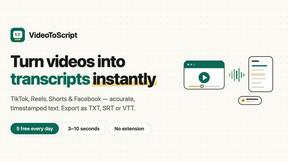
VideoToScript
Turn TikTok, Reels, Shorts, Facebook videos, audio, and video into accurate timestamped transcripts with TXT, SRT, and VTT exports.



TchoAI
Turn documents, notes, and data into clear, editable presentations in minutes.

Wisegrid
Wisegrid helps project-driven teams manage projects, workflows, resources, and reporting in a familiar spreadsheet-style workspace.
