
MacBrightness
MacBrightness unlocks your Mac's hidden brightness range, doubling screen visibility in direct sunlight for any app.
Visit
About MacBrightness
MacBrightness is a utility application designed for MacBook Pro users who need their screens to be significantly brighter than what macOS natively allows. The software unlocks the hidden brightness range in compatible Mac displays, enabling the screen to reach up to 1,600 nits of sustained brightness. This means users can achieve nearly double the brightness of standard macOS limits, making the screen readable in direct sunlight, on patios, in airplanes, or next to bright windows. The product works system-wide across all applications, not just for HDR video content, and integrates seamlessly with the existing brightness keys on the Mac keyboard. MacBrightness is built for professionals, travelers, remote workers, and anyone who uses their MacBook Pro outdoors or in brightly lit environments. The software operates with no noticeable CPU overhead and uses no low-level system hacks, simply opening the brightness range that the display already supports for HDR content. It is compatible with MacBook Pro 14-inch and 16-inch models featuring M-series Pro or Max chips, as well as the Pro Display XDR. The product offers a free trial in Splitscreen Mode, where one half of the screen operates at full brightness while the other stays at stock levels, allowing users to see the difference side by side before purchasing a full license.
Features of MacBrightness
Twice the Brightness, System-Wide
MacBrightness unlocks the full brightness potential of your Mac display, allowing it to reach up to 1,600 nits of sustained brightness. This is nearly double what macOS typically permits. The extra brightness works across every application on your system, not just for HDR video content. Whether you are editing documents, browsing the web, coding, or watching media, the entire screen benefits from the enhanced brightness range. This feature ensures that your display remains sharp, vibrant, and readable in any lighting condition, from dimly lit rooms to direct sunlight.
Works with Existing Brightness Keys
There are no new shortcuts to learn or menu bars to navigate. MacBrightness integrates directly with the brightness keys already present on your Mac keyboard. Simply press the brightness up key past the old macOS limit, and the screen continues to brighten smoothly. The experience feels natural and intuitive, as if the extra range was always meant to be there. This seamless integration means you can adjust brightness on the fly without interrupting your workflow or learning new controls. The keys respond instantly, giving you precise control over the entire brightness spectrum.
No Performance Overhead or System Hacks
MacBrightness operates efficiently with no noticeable CPU overhead. It does not rely on low-level system hacks, kernel extensions, or risky modifications that could compromise system stability or security. Instead, the software simply opens the HDR brightness range that your display already supports and keeps in reserve. This means your Mac continues to run smoothly, battery life remains unaffected, and there is no added heat or fan noise. The approach is both safe and reliable, ensuring that your system operates exactly as intended while gaining access to its full brightness capabilities.
Free Splitscreen Trial Mode
Before committing to a purchase, users can try MacBrightness for free in Splitscreen Mode. When the application is launched, one half of the screen jumps to full brightness while the other half remains at the stock macOS level. This side-by-side comparison allows you to see the dramatic difference immediately and verify the brightness boost on your specific display. Splitscreen Mode remains free for as long as you like, with no time limit or subscription required. When you are ready, a one-time purchase unlocks full-screen brightness across all applications.
Use Cases of MacBrightness
Working Outdoors in Direct Sunlight
For professionals who need to work from patios, park benches, café tables, or balconies, MacBrightness transforms an unreadable mirror into a clear, sharp display. Direct sunlight typically washes out laptop screens, forcing users to seek shade or squint at dim content. With MacBrightness, the screen reaches up to 1,600 nits, cutting through glare and reflections so you can read text, view images, and edit documents comfortably. This use case is ideal for digital nomads, remote workers, and anyone who values the freedom to work from sunny outdoor locations without compromising productivity.
Traveling and Working on the Go
Frequent travelers often find themselves working in airplanes, airports, trains, or hotel rooms with bright windows. These environments can make standard laptop screens difficult to see. MacBrightness ensures your display remains readable in all these scenarios. Whether you are catching up on emails during a flight, preparing a presentation at a gate, or editing photos in a brightly lit lounge, the extra brightness range keeps your content visible and your work on track. The system-wide application means every program benefits, from spreadsheets to video calls.
Creative Work Requiring Accurate Brightness
Photographers, videographers, graphic designers, and other creative professionals often need to view their work in varying lighting conditions. MacBrightness allows them to boost the screen brightness to match ambient light, ensuring they can accurately assess colors, contrast, and details. This is particularly useful when reviewing images or video footage outdoors or in brightly lit studios. The ability to push the display to its maximum nits also helps in previewing HDR content at its intended brightness levels, giving creative professionals a more accurate representation of their final output.
Giving Presentations and Demos
When presenting to clients, colleagues, or audiences in brightly lit conference rooms, auditoriums, or outdoor venues, a dim screen can undermine the impact of your content. MacBrightness ensures your presentations, slides, and demonstrations are vivid and easily visible from any angle. The extra brightness cuts through ambient light, making text crisp and graphics pop. This use case is valuable for sales professionals, educators, public speakers, and anyone who relies on their MacBook Pro screen to communicate ideas effectively in challenging lighting environments.
Frequently Asked Questions
Which Mac models are compatible with MacBrightness?
MacBrightness is compatible with MacBook Pro 14-inch and 16-inch models that feature M-series Pro or Max chips. It also works with the Pro Display XDR. These displays use mini-LED panels that can sustain around 1,600 nits of brightness. Other Mac models, including those with standard LCD or older display technology, may not support the full brightness range that MacBrightness unlocks. You can check your Mac's specifications or download the free Splitscreen trial to verify compatibility with your specific device.
Will using MacBrightness damage my display or reduce its lifespan?
No, MacBrightness does not damage your display or reduce its lifespan. The software simply opens the HDR brightness range that your display already supports and is designed to handle. Macs with mini-LED panels are engineered to sustain high brightness levels for extended periods. MacBrightness uses no low-level hacks, overvolting, or other risky methods. It operates within the safe operating parameters of your hardware. Your Mac's thermal management and brightness control systems remain fully active, ensuring the display operates safely at all times.
How do I try MacBrightness before buying?
You can try MacBrightness for free by downloading the trial from the official website. When you launch the application, it opens in Splitscreen Mode. In this mode, one half of your screen jumps to full brightness while the other half remains at the stock macOS level. This allows you to see the brightness difference side by side on your own display. Splitscreen Mode is free and remains active for as long as you like, with no time limit or subscription. When you are ready, you can purchase a one-time license to unlock full-screen brightness.
Does MacBrightness affect battery life or system performance?
MacBrightness has no noticeable CPU overhead and does not impact system performance. It does not run background processes that consume significant resources. However, running your display at higher brightness levels will use more battery power, just as it would if you were watching HDR content at maximum brightness. This is a natural trade-off for increased visibility. You can adjust the brightness level as needed to balance screen readability with battery conservation. MacBrightness does not introduce any additional heat or fan noise beyond what normal display operation would generate.
Pricing of MacBrightness
MacBrightness is available for a one-time purchase of $5. There is no subscription fee, no recurring charges, and no hidden costs. The free trial in Splitscreen Mode is available for unlimited use without any payment required. When you decide to unlock the full-screen brightness feature, a single payment grants you permanent access to the complete functionality of the application across all compatible Macs you own. This straightforward pricing model ensures you pay once and benefit from the software indefinitely.
Explore more in this category:
Similar to MacBrightness
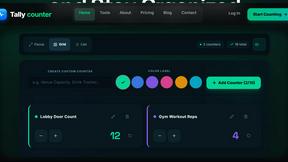
tallycounterweb.com
Tally Counter is a simple online counting tool for tracking attendance, workouts, inventory, sports scores, visitors, and everyday activities.

iHatePosting
Create once, tailor for each platform, and schedule posts across 14 social networks from one simple dashboard.

PDFWix
PDFWix is a free online PDF toolkit designed to make everyday PDF tasks simple, fast, and private.
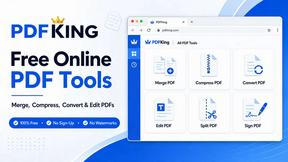
PDFKing
PDFKing is a free online PDF toolkit designed to make everyday document tasks simple, fast, and accessible. It brings essential PDF tools together in


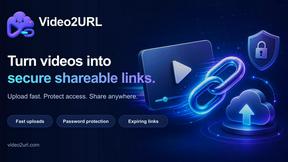
Video2URL
Turn videos, images, PDFs, and files into shareable links with fast uploads and privacy-friendly controls.
