
JustPDF
JustPDF offers a privacy-first, browser-based toolkit with 17 free tools for seamless PDF management and conversion.
Visit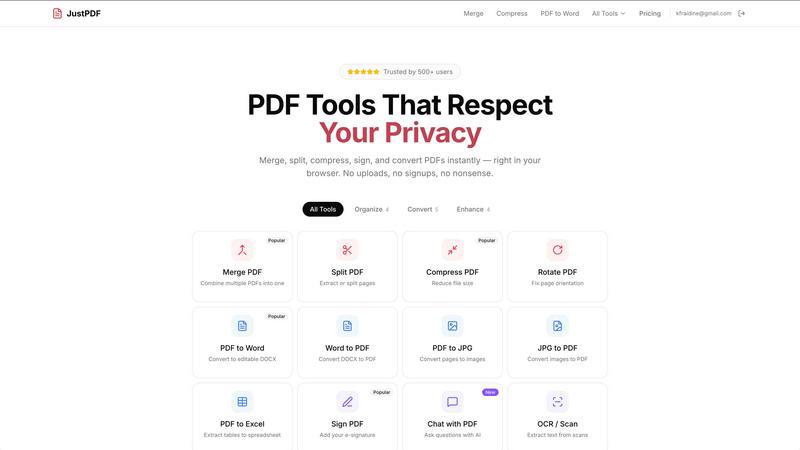
About JustPDF
JustPDF is an innovative online tool that offers a suite of 17 professional-grade PDF utilities designed to enhance the way users interact with PDF documents. Unlike traditional PDF tools such as Smallpdf and iLovePDF, JustPDF operates entirely within the user's browser, ensuring that files remain private and secure. By utilizing advanced technologies like JavaScript and WebAssembly, JustPDF processes all files locally on the device without uploading them to remote servers. This not only provides a faster experience but also guarantees user confidentiality. With no account required for the free tier, which allows for three operations per day, JustPDF is accessible to everyone, including students and professionals alike. The pro version, starting at just $4 per month, offers unlimited access to all features, making it an affordable solution for those who require extensive PDF manipulation capabilities. Furthermore, JustPDF is FERPA-compliant, making it an ideal choice for educational institutions that prioritize data privacy.
Features of JustPDF
Merge PDF
The Merge PDF feature allows users to effortlessly combine multiple PDF documents into a single file. This is particularly useful for individuals who need to consolidate reports, presentations, or any assortment of documents into one cohesive PDF. The process is straightforward, requiring only a simple drag-and-drop action to select the files for merging.
Compress PDF
With the Compress PDF tool, users can significantly reduce the file size of their PDF documents without compromising quality. This feature is essential for individuals who need to share large files via email or upload them to websites with size restrictions. JustPDF's compression tool works quickly and efficiently, providing results in seconds while maintaining the integrity of the original document.
PDF to Word
The PDF to Word feature converts PDF documents into editable DOCX files, making it easy for users to modify text, images, and layouts. This feature is ideal for professionals who need to extract content from PDFs for reports or presentations. The conversion process is seamless, ensuring that formatting is preserved to the greatest extent possible, allowing for a smooth editing experience.
Chat with PDF (AI)
The Chat with PDF feature introduces a new way to interact with PDF documents using AI technology. Users can ask questions about the content of a PDF and receive instant responses, making it easier to extract relevant information without having to read through the entire document. This tool is particularly beneficial for researchers and students who need to quickly analyze large volumes of text.
Use Cases of JustPDF
Academic Research
Students and researchers can utilize JustPDF to manage their PDF resources effectively. With tools like Merge PDF and PDF to Word, they can compile research papers, convert academic articles into editable formats, and create comprehensive reports with ease.
Business Documentation
Professionals in corporate environments can leverage JustPDF for handling important business documents. Features like Compress PDF and Sign PDF allow for efficient document sharing and secure signing of contracts, enhancing productivity and collaboration.
Creative Projects
Graphic designers and creatives can benefit from JustPDF’s ability to convert images into PDFs and vice versa. The JPG to PDF and PDF to JPG features enable them to seamlessly integrate visual content into presentations or portfolios while maintaining high-quality output.
Legal and Compliance
Legal professionals can rely on JustPDF for their document management needs. The ability to Unlock PDF and Sign PDF ensures that legal documents can be accessed, modified, and securely signed, all while keeping sensitive information safe within the user's browser.
Frequently Asked Questions
How does JustPDF ensure the privacy of my files?
JustPDF processes all files locally within the user's browser using JavaScript and WebAssembly. This means that files never leave your device, ensuring complete privacy and security.
Is there a need to create an account to use JustPDF?
No, JustPDF offers a free tier that allows users to perform three operations per day without needing to create an account. This makes it easy for anyone to start using the tool immediately.
What is the cost of the Pro version of JustPDF?
The Pro version of JustPDF starts at just $4 per month and provides unlimited access to all the tools available on the platform, making it an affordable solution for those who require frequent use.
Can JustPDF be used for educational purposes?
Yes, JustPDF is FERPA-compliant, making it suitable for educational use. Schools and educational institutions can use JustPDF to manage student information and documents while ensuring compliance with privacy regulations.
Explore more in this category:
Similar to JustPDF
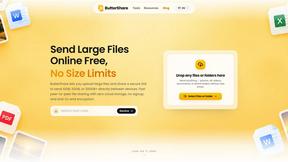
ButterShare
Transfer files between iPhone, Android, Windows, and Mac directly from your browser. Free, secure, and private. No apps, cloud storage, or signup.
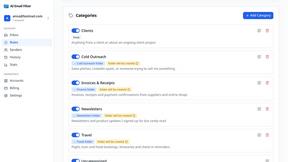
AI Email Filter
AI Email Filter sorts incoming mail into folders using plain-language prompts you write. Works with any IMAP mailbox; bring your own LLM if you want.
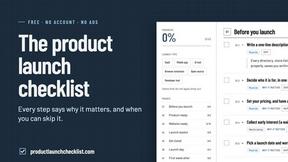
Product Launch Checklist
A free launch checklist for SaaS, apps, AI tools and more. Every step says why it matters and when you can skip it.
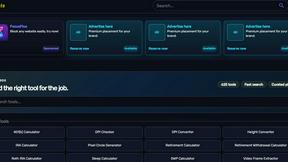
Kody Tools
Free collection of online developer utilities, code formatters, and digital converters designed to streamline your daily workflow.
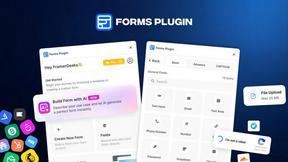
Forms Plugin
The #1 Native Form Builder Plugin for Framer - No Code, No Embeds, No External Platforms.


tallycounterweb.com
Tally Counter is a simple online counting tool for tracking attendance, workouts, inventory, sports scores, visitors, and everyday activities.

iHatePosting
Create once, tailor for each platform, and schedule posts across 14 social networks from one simple dashboard.