

Alternatives to AI Email Filter
Organize Gmail, Fastmail, and IMAP mail with natural-language categories, reviewable sorting, and configurable AI actions.
20 alternatives found

SmartCV
SmartCV supports resume editing, AI writing suggestions, job-description analysis, and application records for job seekers.

BE THE ONE
BE THE ONE is a daily practice app combining reflection, movement, breathwork, meditation, affirmations, and creative exercises in a 90-day journey.
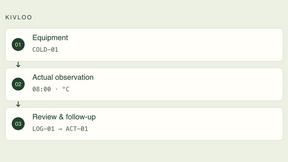
Kivloo
Kivloo digitizes workplace safety checks with phone-based records, photos and searchable history for site teams.

ACA
ACA combines buyer sourcing, email and LinkedIn outreach, lead capture and content publishing in one agent-accessible acquisition workspace.

Infograph
Infograph reshapes reports, research and meeting notes into source-checked visual stories for sharing, study and presentations.
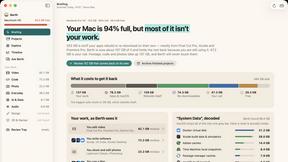
Berth for Mac
Berth maps Mac storage by meaning or folder, with plain-language findings and a review tray for people who want control over cleanup.
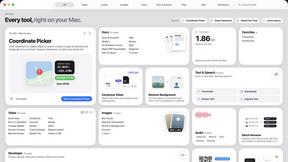
Toolbox for Mac
Toolbox for Mac brings 102 native tools for video, documents, images, files and Mac utilities into one app, with processing kept on your Mac.

Leadmatically
Leadmatically helps small sales teams discover warm leads on social platforms and control how outreach and replies are handled.

GigUp
GigUp sends Upwork job alerts based on a freelancer's public profile, search criteria, and chosen match threshold.

Safe Outreach
Safe Outreach checks LinkedIn extensions against a dated detection list and offers code-based analysis of session handling for selected tools.
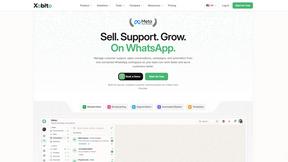
Xobito
Xobito brings WhatsApp support, sales, broadcasts, contact segmentation and automated replies into a shared workspace for business teams.

Nautis
Nautis gives startup founders a shared operating workspace for company context, financial visibility, deal follow-up, and approved actions.

Emailyy
Emailyy provides no-signup email utilities, from copyable HTML signatures and subject checks to browser previews, text counts and header inspection.
TroveKey
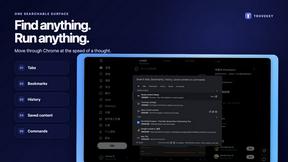
TroveKey is a local-first Chrome command center for searching tabs, bookmarks, history and saved posts, then acting from a keyboard shortcut.

Uniclip
Uniclip is a browser extension for saving web text, screenshots, and selected elements into Notion, Feishu, Obsidian, or local files.

JevModel
JevModel turns text or JSON into typed Choice, Score, and Noul decisions, with a visual flow builder, batch tools, and an API.

Todowing
For Todoist users in Chrome, Todowing adds task timing, focus sessions, deeper subtasks and optional Apple Calendar events to the Today view.

LightScreen
LightScreen offers browser based fullscreen light, adjustable colors, and visual display checks for everyday lighting and screen inspection.

ReadyHermes
ReadyHermes hosts a persistent Hermes Agent that handles scheduled jobs across chat apps, a Linux computer and connected work accounts.

FreeVideoGenerator
Create short AI videos from text or photos, compare generation models and costs, and download finished clips through one web interface.
About AI Email Filter Alternatives
For a small set of predictable sender or keyword rules, an email provider's built-in filters may be sufficient. Consider AI Email Filter when categories depend on message context and you want to review sample classifications before automation. Compare how much setup each approach needs, which mailbox providers it supports, and whether the handling of message content fits your workflow.
FAQs about AI Email Filter Alternatives
When are built-in email rules a better fit?
They may suit simple, stable conditions such as a known sender or keyword.
What should I compare before choosing an approach?
Check provider compatibility, whether you need context-based categories, and how message data is processed.