
Sprite-AI
Sprite-AI instantly generates pixel-perfect game sprites from your text descriptions, allowing you to customize and download them for any game engine.
Visit
About Sprite-AI
Sprite-AI is an advanced AI-powered pixel art generator specifically designed for indie game developers, hobbyists, and prototypers who need high-quality 2D assets rapidly. The platform allows users to describe a sprite in plain English, and the artificial intelligence produces a clean, game-ready pixel art image in seconds. Users can generate sprites in multiple standard sizes, including 32x32, 64x64, and 128x128 pixels, with each output correctly scaled for the intended role such as icons, items, characters, or hero and boss art. Beyond generation, Sprite-AI includes a built-in pixel editor that provides essential tools for painting, erasing, filling, and color-picking, enabling users to fine-tune every pixel before export. The final output is a transparent PNG file that integrates directly into popular game engines like Unity, Godot, GameMaker, and Unreal Engine. The platform also features a community gallery for inspiration, comprehensive prompt guides to improve generation results, and a token-based pricing model that ensures users only pay for the sprites they generate. With over 300,000 sprites already created, Sprite-AI empowers developers of all skill levels to turn their ideas into visual game assets without requiring any drawing or artistic expertise.
Features of Sprite-AI
Natural Language Sprite Generation
The core feature of Sprite-AI is its ability to transform plain English descriptions into pixel art sprites. Users simply type what they imagine, such as "fire-breathing dragon with red scales" or "medieval knight with sword and shield," and the AI interprets the request to generate a corresponding sprite. This eliminates the need for any drawing skills, allowing developers to focus on game design rather than artistic production. The AI understands context, style cues, and specific details, producing results that align closely with the user's vision.
Multiple Sprite Sizes and Roles
Sprite-AI offers generation in several standard pixel art sizes, including 32x32, 64x64, and 128x128 pixels, with each size optimized for specific game roles. Smaller formats like 32x32 are ideal for icons and items, while 64x64 works well for standard characters and enemies. The 128x128 size is reserved for hero and boss art that requires more detail and visual impact. This size flexibility ensures that every generated asset is immediately usable within the correct game context without requiring manual resizing or adjustment.
Built-in Pixel Editor for Fine-Tuning
After generation, users have access to a fully integrated pixel editor that provides professional-grade tools for sprite refinement. The editor includes paint, erase, fill, and color-pick functionalities that allow users to adjust individual pixels with precision. This feature is essential for correcting minor AI imperfections, adding personal artistic touches, or ensuring color consistency across a sprite set. The editor operates directly within the browser, so no external software is needed for post-generation adjustments.
Seamless Game Engine Export
Every sprite generated and edited in Sprite-AI can be exported as a transparent PNG file, which is the standard format for 2D game assets. The export process is optimized for direct integration into major game engines including Unity, Godot, GameMaker, and Unreal Engine. This compatibility eliminates the need for format conversion or additional processing, significantly speeding up the asset pipeline from concept to implementation. Developers can download their sprites and immediately import them into their projects.
Use Cases of Sprite-AI
Rapid Prototyping for Game Jams
Game jam participants often face severe time constraints that make traditional pixel art creation impractical. Sprite-AI enables these developers to generate complete sprite sets in minutes rather than hours. A developer can describe a player character, enemies, items, and environmental objects, receive polished pixel art, and have all assets ready for import into their game engine within a single development session. This speed allows teams to focus on gameplay mechanics and level design rather than asset creation.
Indie Game Development with Limited Art Resources
Independent game developers frequently work alone or in small teams without dedicated artists. Sprite-AI serves as a virtual art department, generating consistent, high-quality sprites that match the desired aesthetic. Developers can iterate on character designs by adjusting prompts, regenerate until satisfied, and then fine-tune with the pixel editor. This capability allows solo developers to produce visually polished games that compete with larger studio productions, all while maintaining full creative control over the visual direction.
Educational Projects and Game Design Courses
Instructors teaching game development or computer science can use Sprite-AI to help students focus on programming and design principles rather than getting stuck on art creation. Students can quickly generate sprites for their assignments, learning how to integrate assets into game engines while experimenting with different visual styles. The platform also serves as a teaching tool for understanding pixel art aesthetics, as students can analyze generated sprites and modify them in the editor to learn fundamental art concepts.
Content Creation for Streaming and Social Media
Content creators who produce game development tutorials, speedruns, or behind-the-scenes content can use Sprite-AI to generate unique visual assets for their videos and streams. The ability to create custom sprites on demand allows creators to build distinctive branding elements, channel mascots, or illustrative examples for educational content. The community gallery also provides a source of inspiration and assets that creators can reference or remix for their own projects.
Frequently Asked Questions
How does the natural language generation work?
Sprite-AI uses advanced machine learning models trained specifically on pixel art datasets to interpret your text descriptions and generate corresponding sprites. You simply type a descriptive phrase in plain English, such as "cute slime monster green and blue" or "flaming sword icon with orange glow," and the AI processes the request to produce a pixel art image that matches your description. The system understands context, color references, and stylistic cues to deliver accurate results. For best outcomes, be specific about colors, shapes, and any unique characteristics you want in the final sprite.
What file formats and sizes are available for export?
All sprites generated in Sprite-AI can be exported as transparent PNG files, which is the universal standard for 2D game assets. The platform supports generation in three primary sizes: 32x32 pixels for icons and small items, 64x64 pixels for standard characters and enemies, and 128x128 pixels for hero or boss art that requires more detail. Each size is optimized for its intended role, ensuring that the sprite fits correctly into your game without additional scaling. The transparent background makes these files ready for immediate import into Unity, Godot, GameMaker, and Unreal Engine.
Can I edit sprites after they are generated?
Yes, Sprite-AI includes a fully functional built-in pixel editor that allows you to modify any generated sprite. The editor provides essential tools including paint, erase, fill, and color-pick functionalities, enabling you to adjust individual pixels with precision. This feature is particularly useful for correcting minor AI imperfections, adding personal artistic touches, or ensuring color consistency across multiple sprites in a set. All edits are saved within your session, and you can export the final version as a transparent PNG once you are satisfied with the result.
How does the token-based pricing model work?
Sprite-AI operates on a token-based system where each sprite generation consumes a certain number of tokens from your account. The platform offers three subscription tiers: Starter at $5 per month for 8 sprites, Creator at $8 per month for 20 sprites, and Studio at $24 per month for 75 sprites. Unused tokens do not roll over to the next month, but you can upgrade or downgrade your plan at any time. This model ensures you only pay for the sprites you actually generate, making it cost-effective for both casual hobbyists and serious production teams.
Pricing of Sprite-AI
Sprite-AI offers three subscription tiers designed to accommodate different levels of usage, from hobbyists to professional teams. All plans include access to the AI sprite generator, built-in pixel editor, and community gallery. The Starter plan costs $5 per month and provides 8 game-ready sprites, suitable for game jams and side projects. The Creator plan is priced at $8 per month and includes 20 unique sprites, ideal for indie developers shipping real games, with additional benefits such as PNG and SVG export, private art storage, and uncensored generations. The Studio plan costs $24 per month and offers 75 sprites for teams and serious production work. All plans can be canceled at any time, and there is a launch pricing promotion offering 38 percent off the Creator and Studio plans for a limited time, with only 386 out of 500 spots remaining. This promotional price is locked in forever and increases at full release.
Similar to Sprite-AI
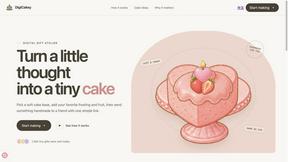
DigiCakey
Create and send personalized digital cakes with custom frosting, fruit, candles, cards, and drawings.

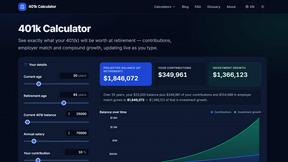
401k Calculator
401k Calculator.info is a free online tool to estimate retirement savings, employer match, and future 401(k) growth for smarter financial planning.
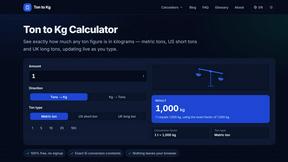
Ton to Kg Calculator
Ton To KG Calculator is a free online weight conversion tool that helps users instantly convert tons to kilograms with precision.
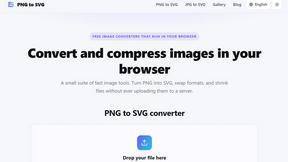
PNG to SVG
Convert PNG and JPG images to SVG, compress images, and switch between popular formats directly in your browser. No uploads, no signup, and no waterma

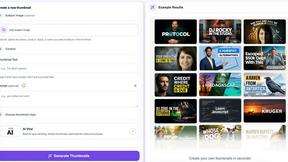
StopScroll
AI YouTube thumbnail maker that helps creators generate high-click thumbnails faster.
HubVanta AI
HubVanta AI helps creators generate images and videos with advanced AI tools for visual content workflows.