BoltShot
Capture high-quality screenshots instantly from any URL with BoltShot's ultra-fast API, designed for developers and businesses.
Visit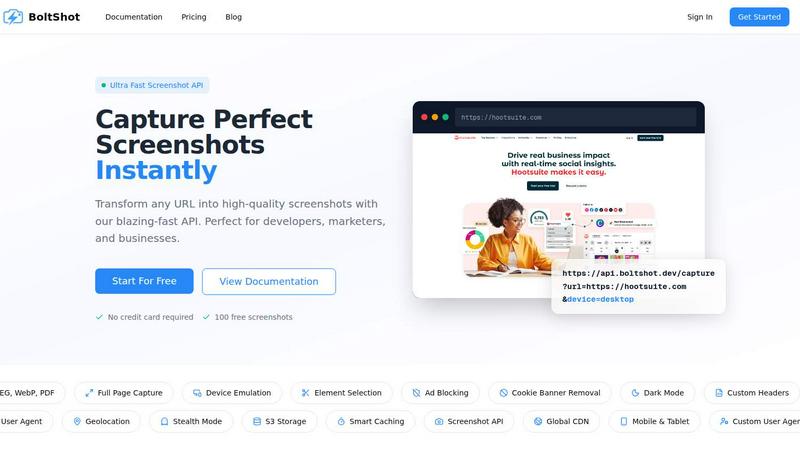
About BoltShot
BoltShot is an advanced website screenshot API designed to convert URLs into high-quality screenshots effortlessly. It is particularly suited for developers, marketers, and businesses looking to automate their screenshot capture processes. With an easy-to-use API, users can generate screenshots in multiple formats, including PNG, JPEG, WebP, and PDF, with just a simple request. The API supports full-page capture, allowing users to get complete images of web pages without missing any content. Additionally, it provides device emulation options for mobile, tablet, and desktop views, accommodating various display settings. The ability to specify CSS selectors for capturing particular page elements ensures users can obtain precisely what they need, while features such as ad blocking and cookie banner removal ensure clean, distraction-free results. BoltShot's integration capabilities make it a valuable asset for e-commerce previews, automated reporting, web archiving, and compliance monitoring, all without the overhead of managing browser clusters or complex infrastructure.
Features of BoltShot
Full-Page Capture
BoltShot allows for full-page screenshots, ensuring that users can capture entire web pages seamlessly. The API automatically scrolls through the page to compile images, guaranteeing no content is overlooked and providing a true representation of the website.
Device Emulation
With device emulation, BoltShot can mimic various devices, including mobile phones, tablets, and desktops. Users can specify the desired viewport settings, enabling them to tailor their screenshots based on how the site appears on different devices and ensuring responsive design testing.
Clean Capture
BoltShot excels at producing clean screenshots by automatically removing distractions like advertisements, cookie banners, and popups. This feature ensures that the final images are focused and professional, making them ideal for presentations, reports, or client reviews.
Advanced Customization
The API offers advanced customization options, including custom user agents, geolocation emulation, stealth mode, and custom headers. These features provide users with greater control over their screenshot captures, allowing for tailored results that meet specific business needs.
Use Cases of BoltShot
E-commerce Previews
E-commerce businesses can utilize BoltShot to generate visual previews of product pages. By capturing high-quality images of their web pages, they can create compelling marketing materials or enhance their online catalogs, helping to drive sales.
Automated Reporting
Marketers and analysts can leverage BoltShot for automated reporting by capturing regular screenshots of web pages for performance analysis. This feature allows teams to track changes over time, ensuring they have visual documentation for their reports.
Web Archiving
Organizations can use BoltShot to archive web content systematically. By capturing full-page screenshots regularly, businesses can maintain a visual record of their web presence, which is essential for compliance and historical reference.
Compliance Monitoring
BoltShot can assist companies in monitoring their websites for compliance with legal or regulatory standards. By capturing screenshots of specific content, they can ensure that their web pages adhere to necessary guidelines, making it easier to validate compliance.
Frequently Asked Questions
How does BoltShot handle ad blocking?
BoltShot includes built-in ad blocking features that automatically filter out advertisements from screenshots. This ensures that the images captured are clean and free from any distractions, providing a professional look.
Can I capture specific elements of a web page?
Yes, BoltShot allows users to capture specific elements by utilizing CSS selectors. This feature provides flexibility in obtaining only the necessary parts of a web page, making it ideal for targeted marketing and reporting.
What formats does BoltShot support for screenshots?
BoltShot supports multiple image formats, including PNG, JPEG, WebP, and PDF. This variety allows users to choose the format that best suits their needs, whether for web use, printing, or archiving.
Is there a limit to how many screenshots I can capture?
BoltShot offers a free tier that includes 100 free screenshots, allowing users to test the service without any upfront commitment. For users needing more, various paid plans are available to accommodate higher volumes of screenshot requests.
Similar to BoltShot
Product Launch Checklist
A free launch checklist for SaaS, apps, AI tools and more. Every step says why it matters and when you can skip it.
Forms Plugin
The #1 Native Form Builder Plugin for Framer - No Code, No Embeds, No External Platforms.
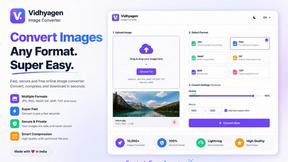
VidhyaGen
Fast, free, and privacy-first browser tool to convert, crop, resize, and compress images locally without server uploads.

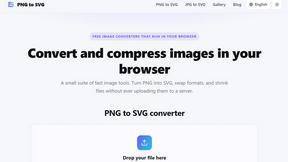
PNG to SVG
Convert PNG and JPG images to SVG, compress images, and switch between popular formats directly in your browser. No uploads, no signup, and no waterma
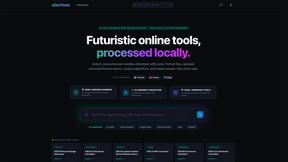
xDevTools
Fast, private developer tools. 1000+ utilities run locally. Format, encode, hash, and analyze.